Free interactive tool

Design your EV charging hub
in 3D.

Lay out chargers, bays and grid equipment on your own site plan. Cables size themselves, Willbert list prices fill in as you go, and your client gets a 3D proposal behind one link.

Runs in your browser. Start without an account; register free for prices and proposals.

How it works

From site plan to proposal in three steps.

  1. Lay out the site

    Drop in a PDF site plan or a satellite screenshot, set its scale, and place chargers, bays, transformers and storage on it — or start from the demo site.

  2. Size and price it

    Connect the equipment and every cable run sizes itself. With a free account, Willbert list prices fill in as you go and you add your own margin.

  3. Send the proposal

    Save one or more options under a proposal. Your client opens a single link and compares them in 3D, prices included.

Features

Everything you need to size, cost and pitch a charging site.

Site plans

Start from the real site

Upload a PDF site plan or an image — a satellite screenshot works — and give it its print scale, such as 1:500, or its real width. It lies under your layout at true size, so everything you place is to scale.

  • First page of a PDF, rendered sharp
  • Scale by print ratio or width in metres
  • Move, rotate and fade it under the layout
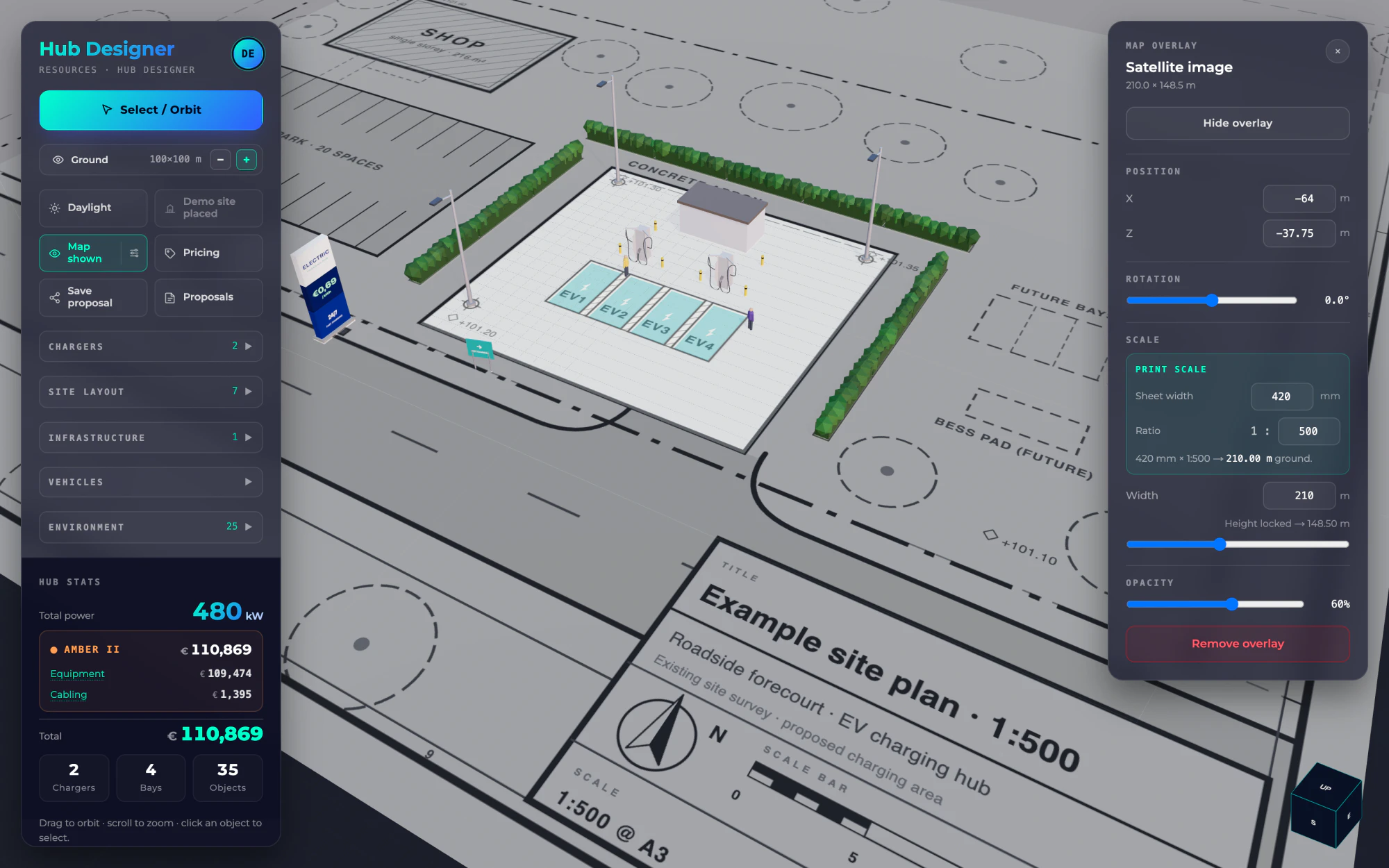
Hub Designer editor with a 1:500 site plan under a 3D layout of chargers and bays

3D layout

Real equipment, to scale

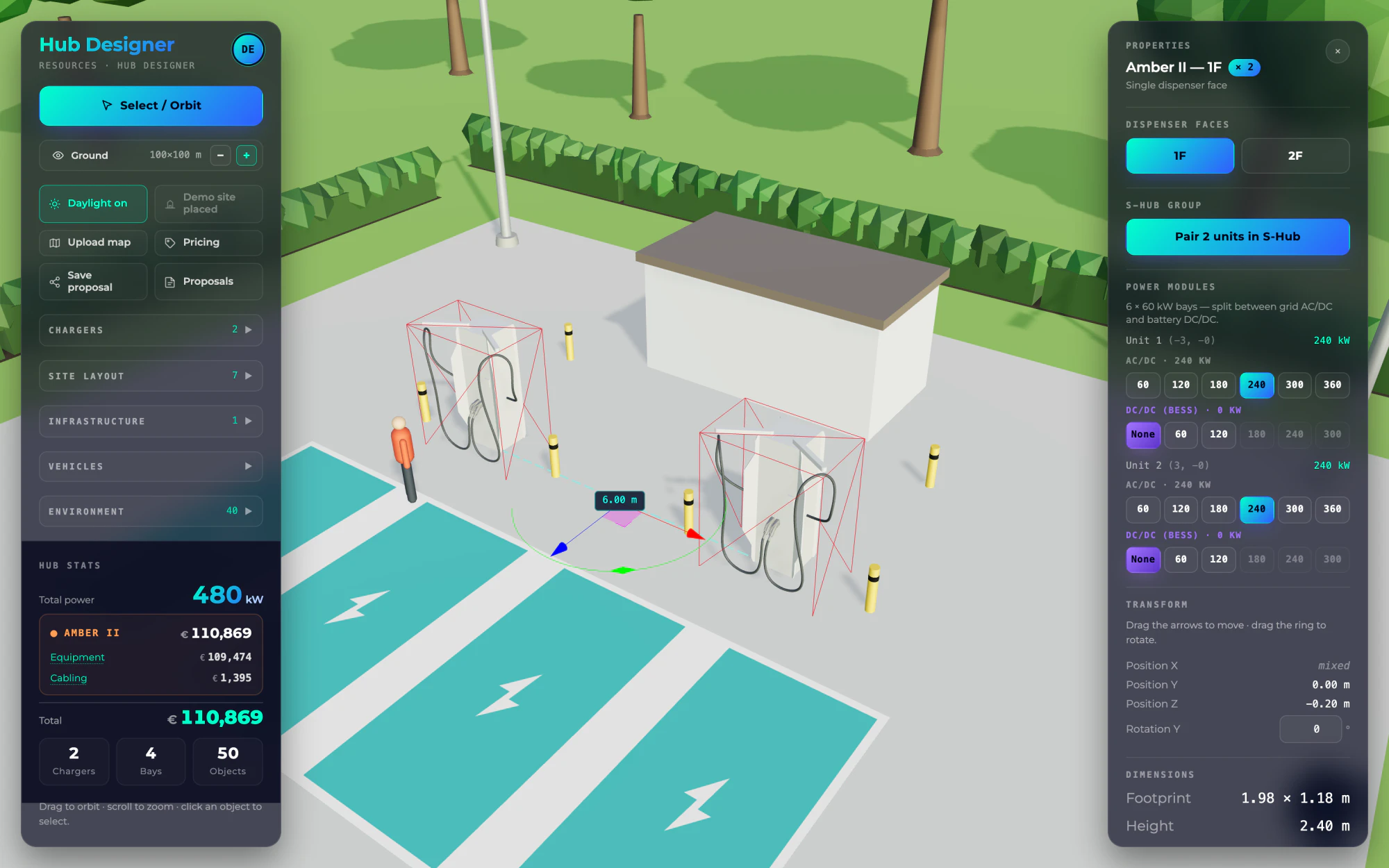
Amber II chargers modelled from Willbert's own CAD files, S-Hub canopies that snap onto them, transformers, switchboards, battery storage, bays, surfaces and street furniture — in a 3D scene you can present in daylight.

  • Snaps to a 1 m grid and 15° steps
  • Live distances between selected objects
  • Multi-select, copy and paste, 100 undo steps
Forecourt layout in daylight with two Amber II chargers selected, showing the distance between them and their properties

Cabling

Cables that size themselves

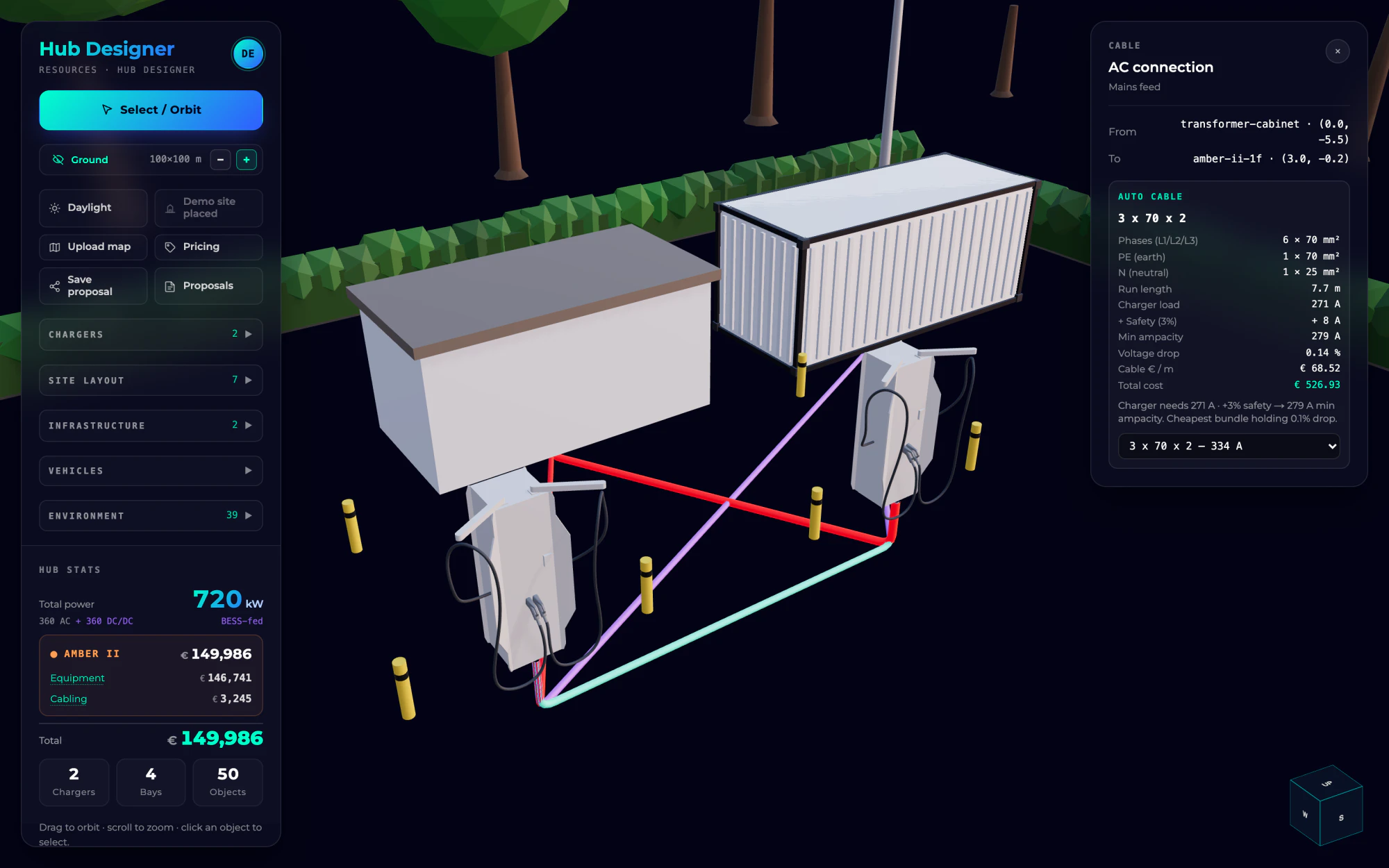
AC feeds, S-Hub buses, DC links and battery feeds each get the cheapest cable that carries the load with a margin, keeps voltage drop within 3% and fits the equipment's terminals. Move anything and every run re-sizes.

  • Run lengths follow the route, trench depth included
  • Earth and neutral added on AC runs
  • Override any cable — failed checks are flagged
Wiring view with an AC cable selected, showing its load, ampacity and voltage-drop checks

Live pricing

Prices as you design

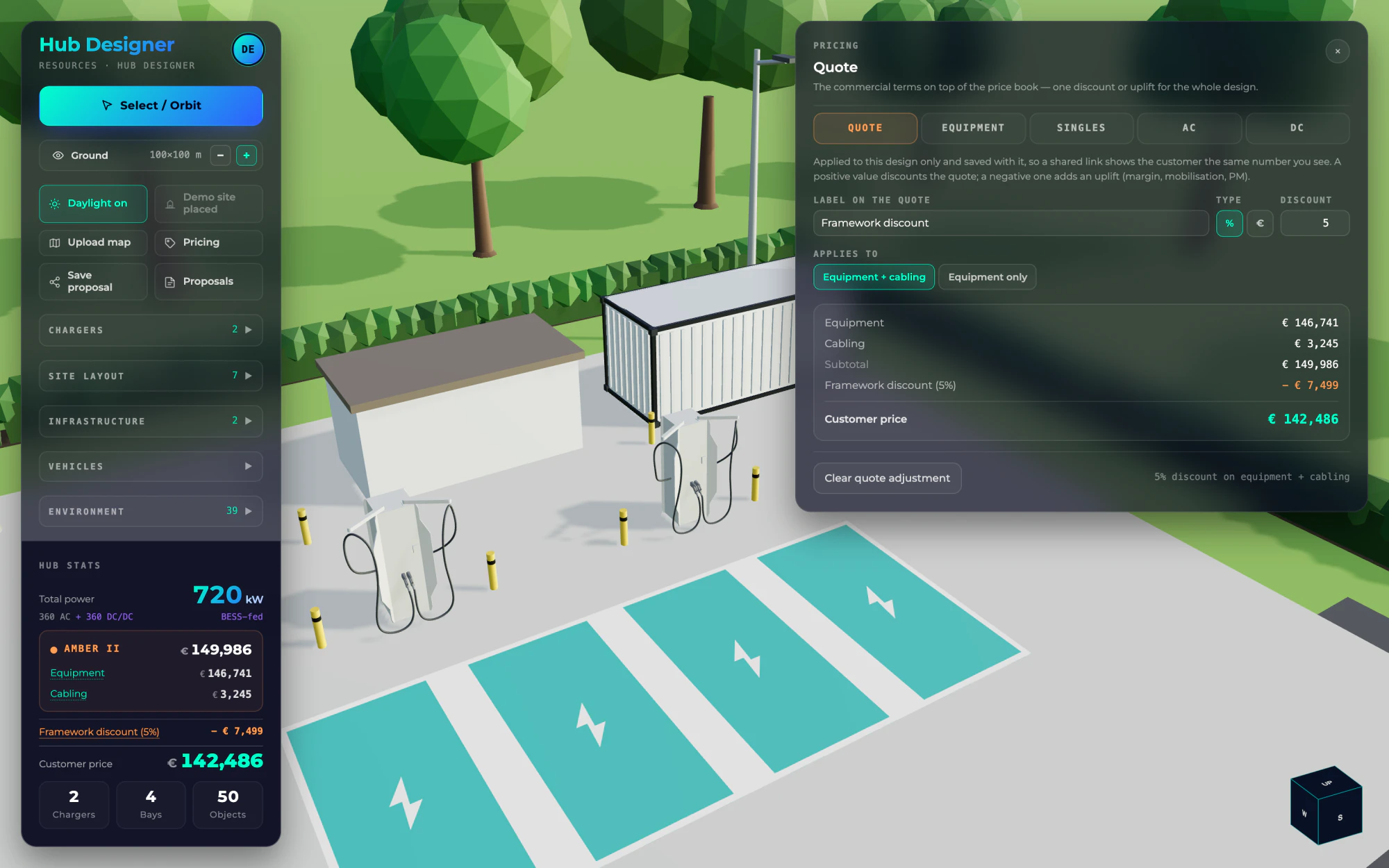
With a free account every layout prices itself from Willbert's Amber II list: units, power modules, cable sets and every cable run. Set a discount or add your margin once, and the customer price follows.

  • Bill of materials by brand, with a conductor order list
  • Quote price per unit, shown against the list price
  • Copy the BOM as text for your own quote
Pricing panel with a quote adjustment beside the hub's equipment and cabling totals

Client proposals

A proposal your client can open

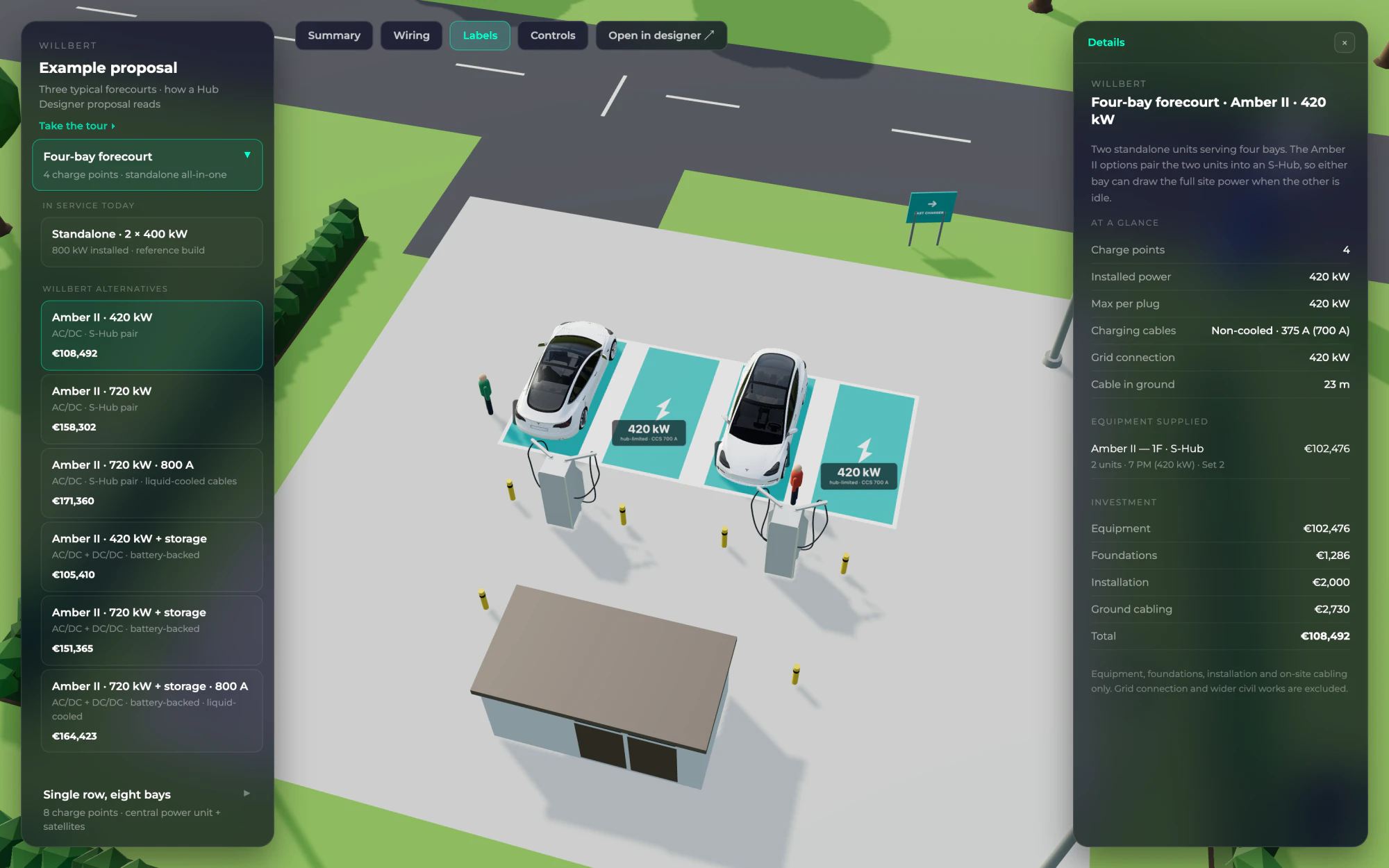
Save each option as a scenario of one proposal and send a single link. Your client sees them in a 3D daylight viewer — power at every bay, the wiring, and a side-by-side summary with totals — on a laptop or tablet, without signing in.

  • Charging power at each bay, and what limits it
  • All options side by side, with installed power and totals
  • 5 proposals a month free, unlimited with Studio
Proposal viewer showing an S-Hub pair with the charging power labelled at each bay

Studio

Compare Amber II with the alternatives

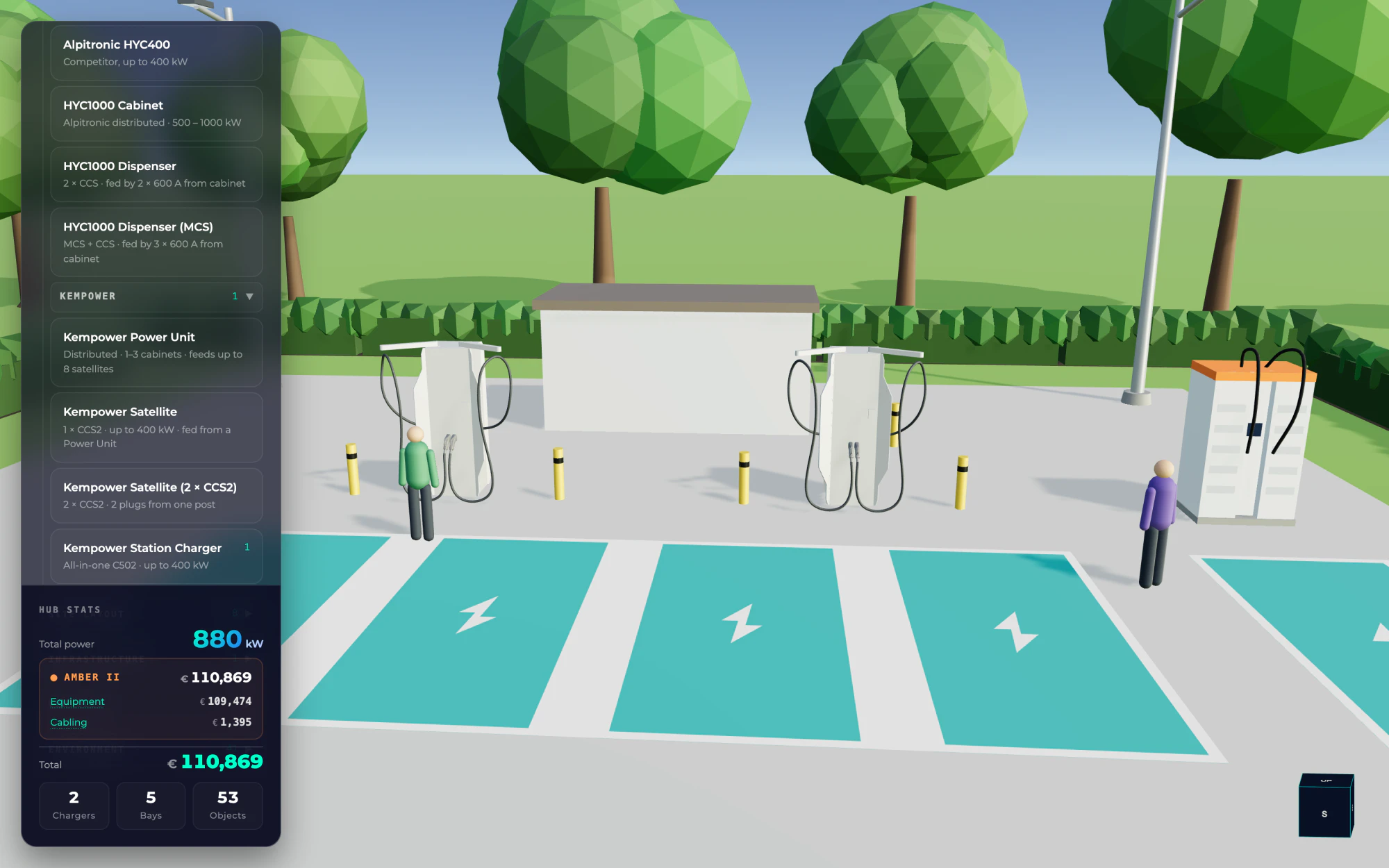
Studio opens the Alpitronic and Kempower libraries. Lay out a competing or mixed-vendor configuration on the same site, save it next to your Amber II option, and let the proposal summary compare them.

  • Alpitronic HYC400 and HYC1000, with MCS dispensers
  • Kempower power units, satellites and station chargers
  • Third-party prices are indicative — adjust them per design
Editor library with the Alpitronic and Kempower groups open beside an Amber II layout
Plans

Free for Willbert hubs. Studio when you mix brands.

We make the chargers, so designing with Willbert hardware costs nothing — registration only tells us who we share prices with. Studio is for teams who also quote other brands.

Designer

€0free forever

For planning and quoting hubs built on Willbert hardware.

  • The full 3D editor and site-plan underlays
  • Auto-sized cabling and bill of materials
  • Live Willbert list prices with your own margin
  • 5 client proposals a month

Studio

€89per user / month

For teams who compare Willbert with other brands on one site.

  • Everything in Designer
  • Alpitronic and Kempower libraries
  • Unlimited client proposals
  • Card billing via Viva.com, cancel any time

Partner

By arrangementno subscription

For companies we work with directly.

  • Everything in Studio
  • Account set up by our team

No account needed to start: lay out a site, underlay a plan, size the cables and count materials while signed out. Register free when you want prices and client links.

Compare plans

FeatureNo accountDesignerStudioPartner
3D editor, demo site and site-plan underlays
Auto-sized cabling and wiring view
Bill of materials: quantities and cable runs
Live Willbert list prices
Quote discount or uplift, per-unit quote prices
Client proposals5 a monthUnlimitedUnlimited
Alpitronic and Kempower libraries
PriceFreeFree€89 per user / monthBy arrangement

Studio is charged by card through Viva.com every 30 days until you stop renewals in the app; access runs to the end of the paid period.

FAQ

Questions, answered.

What installers, operators and consultants ask us most about the Hub Designer. Missing something?

Talk to our team
No. The editor, site-plan underlays, cable sizing and material quantities all work without one. Register free — name, work email and company — to see prices and save proposals for your clients.
Willbert Amber II prices are our current list prices. Alpitronic and Kempower prices are indicative, and you can override any price for a single design. Transformers, switchgear, storage and canopies aren't priced yet, so totals cover the chargers — with foundations, installation and options — and the cabling.
A link to a read-only 3D presentation of every option in the proposal: the site in daylight, the charging power at each bay, the wiring, and a summary table with totals. It opens in any modern browser, on a tablet too, without signing in.
While you design, nothing is uploaded — and nothing is saved, so a reload loses unsaved work. When you save a proposal, the layout and any site plan you attached are stored on Willbert's servers, and anyone with the link can open it.
Studio costs €89 per user per month, paid by card through Viva.com. The first month is charged when you upgrade, then every 30 days. Stop renewals in the app at any time and Studio stays on until the paid period ends.
Not today. You can copy the bill of materials as text into your own quote, and share the layout itself as a proposal link.
Design on a laptop or desktop — the editor needs a mouse. The proposal viewer your clients open works on tablets and phones as well.

Ready to lay out your first hub?

Open the designer in your browser and start from the demo site or your own plan.